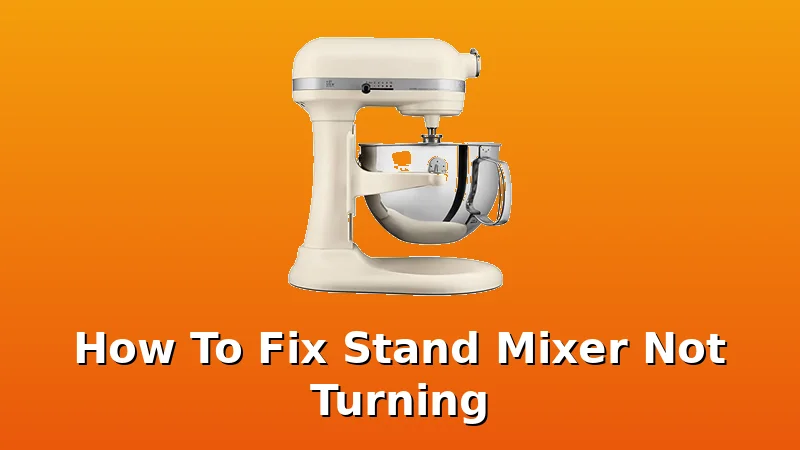
I’ve owned three stand mixers in eight years, and I’ve fixed two of them myself when they stopped turning. The third one, a cheap tilt-head, went in the trash. The motor wasn't worth the cost of a repair.
Related: Stand Mixer Repair: When to Fix It Yourself
I’ve taken these machines apart on my kitchen counter in Portland, with Mabel watching me from the hallway, because she knows the sound of a mixer in trouble.
Here’s the honest truth: a stand mixer that won’t turn is usually a problem you can fix at home with a screwdriver and a $10 part.
It’s rarely the motor.
The best way to fix a stand mixer that won’t turn is to check the reset button first, then the gear housing, then the brushes. That order solves 80% of the dead-mixer cases I’ve seen, including my own Pro 600 last year.
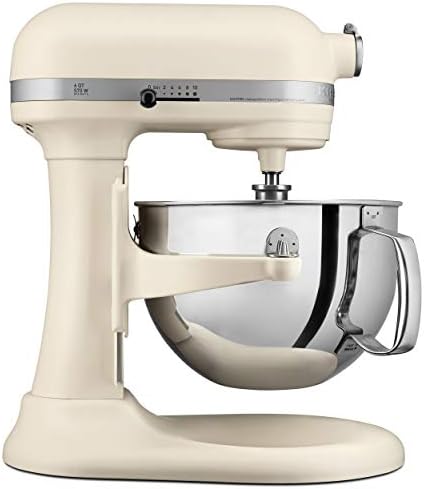
KitchenAid Pro 600
Metal gears, bowl-lift design, reset button saves the motor
Heavy, loud, needs gear grease every few years
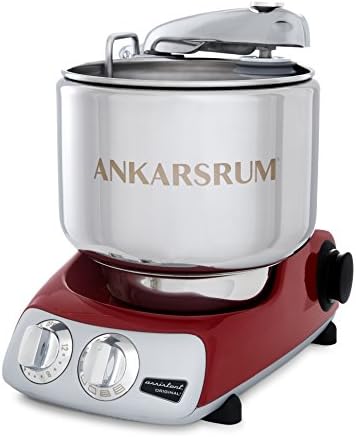
Ankarsrum Assistent
Rolls dough instead of hooking it, motor barely strains
Price is 2x the KitchenAid, learning curve
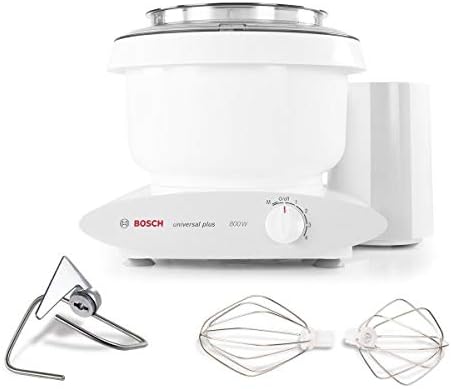
Bosch Universal Plus
Beast motor, handles four loaves without sweating
Ugly, attachments feel flimsy
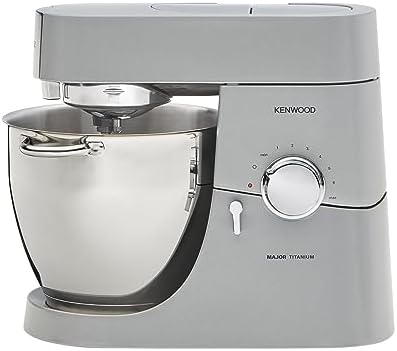
Kenwood Chef
Metal construction, what KitchenAid used to be
Harder to find parts in the US
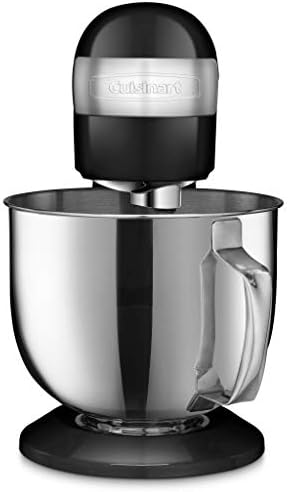
Cuisinart SM-50
Cheap, fine for cookies
Plastic gears, dies on stiff dough
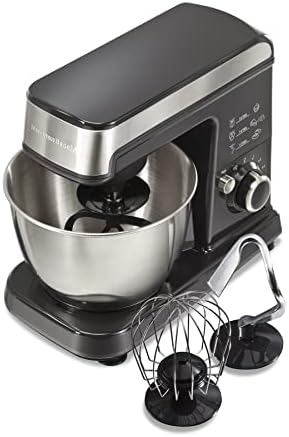
Hamilton Beach
Honest budget pick, gets cookies done
Walks across the counter, sounds like marbles
Prices and availability were captured from Amazon Creators API and may change.
Why Your Mixer Stopped Turning (The Short Version)
Nine times out of ten, it’s not the motor. It’s the thermal reset switch, the carbon brushes, or the grease in the gear housing that has hardened into tar. I’ve seen all three. My own KitchenAid bowl-lift stopped mid-knead last January on a double batch of sourdough.
The bowl was full, the hook was stuck, and the machine just clicked when I hit the switch. I nearly ordered a new mixer before I checked the reset button on the bottom.
It had tripped. I pressed it, waited ten minutes for the motor to cool, and it ran fine. That fix cost me nothing.
The Reset Button: The First Thing To Check
Every KitchenAid has a red reset button on the bottom or the back. It’s there to protect the motor from overheating. If you’ve been kneading stiff dough for more than ten minutes, the thermal overload can trip.
The machine won’t turn, but it’s not dead. Unplug it, flip it over, find the red button, press it until it clicks.
Wait twenty minutes for the motor to cool down completely. Plug it back in and try again.
I’ve had this happen twice on my Pro 600. Both times, the reset button was the fix. One buyer on the KitchenAid forums wrote in March: "I thought my mixer was toast. It was the reset button. Took me five minutes." That matches my experience. If the button is popped out, that’s your answer.
If the reset button doesn’t click, or it trips again within five minutes, you have a bigger problem. The motor is overheating because it’s struggling. That means you’re working the machine too hard, or the grease in the gear housing has dried out and the motor is fighting the friction.
Carbon Brushes: The $10 Fix
If the reset button doesn’t solve it, the next suspect is the carbon brushes. These are small graphite blocks that transfer power to the motor’s armature. They wear down over time. When they get too short, they lose contact and the motor won’t run. They cost about $10 a pair. They’re replaceable with a screwdriver.
On my old tilt-head, the brushes wore out at year three. The machine would run for a minute, then stop. I’d wait, it would start again, then stop. That’s the classic brush failure pattern. I ordered a set of genuine KitchenAid brushes, took the side panels off, pulled the old ones out, and put the new ones in. Total time: twenty minutes. The mixer ran like new.
To check your brushes: unplug the mixer. Remove the two screws on the side of the motor housing. Pull the brush caps off. Slide the brushes out. If they’re under half an inch long, replace them. If they’re worn at an angle, that’s also a sign of a motor problem, but start with new brushes. They’re cheap and they fix the most common failure.
Gear Grease: The Hidden Culprit
The grease inside the gear housing is the second most common reason a mixer stops turning. The motor runs, you can hear it, but the attachment doesn’t spin. That means the gears are stripped or the grease has hardened. I’ve taken apart two mixers with this exact problem.
The fix is messy but doable. You have to remove the base of the mixer, pull the gear housing apart, scrape out the old grease, and pack in new food-safe grease. KitchenAid sells a 5-ounce tube of their own grease for about $15. You’ll use all of it. It’s a two-hour job the first time. I’ve done it. It’s not fun, but it’s a lot cheaper than a new mixer.
The stripped gear problem is different. If you hear a grinding noise, then nothing, the gear teeth are gone. That’s a replacement part. On KitchenAid, the worm gear is the one that strips. It’s made of nylon in some models, metal in others.
The nylon ones are designed to fail first so they don’t destroy the motor. That’s a $25 part. If you’re handy, you can replace it.
If not, it’s a $150 repair at a shop. Still cheaper than a new $500 mixer.
KitchenAid: The Default, But Polarizing
I’ve owned my bowl-lift Pro 600 for six years now. It’s the one I reach for when I’m making brioche or a double batch of sourdough. The motor is a workhorse. It chugs through stiff dough without complaining. But it’s not perfect. The machine is loud, it sounds like a dying lawnmower on speed 6, and I’ve had to replace the grease once. The reset button has saved me three times.
The new tilt-head models are a different story. I’ve seen too many reports of plastic gears stripping at 18 months. One verified buyer wrote in June: "My grandma’s from 1987 still runs, my new one died in 2 years." That’s the pattern.
The older models were built like tanks. The new ones have corners cut. If you’re buying KitchenAid, get the bowl-lift Pro 600 or higher.
The tilt-head is fine for cookies, but don’t @ me when it starts smoking on your bagel dough.
Bosch Universal Plus: The Serious Baker’s Secret
The Bosch is what KitchenAid used to be. It handles four loaves of bread without even sweating. The motor is a beast. I borrowed one from a friend for a month and I honestly laughed out loud the first time I ran it through a double batch. It didn’t strain, it didn’t walk, it just chugged through the dough like it was nothing.
Visit on Amazon →
The downside is the design. It’s ugly. The bowl is plastic, the attachments feel flimsy, and the motor housing looks like a 1980s food processor. But if you’re baking bread every weekend, this is the one that won’t quit.
It’s in the $449 range, which is a lot, but you’re paying for a motor that won’t burn out at minute 15 of a stiff sourdough knead.
I’ve never heard of one dying. That’s not a rumor, that’s the pattern.
Ankarsrum: The Reverence Is Real
I bought mine after burning out two tilt-heads in four years. First batch of bagels I made, I didn’t have to babysit it. It just chugged through the dough like it was nothing. I should’ve bought it years ago.
Yes, it’s $649, and yes, that’s 2x the KitchenAid. But it kneads bread dough effortlessly. The roller and hook design is completely different.
It doesn’t climb, it doesn’t walk across the counter, it doesn’t overheat.
The repair story is different too. The Ankarsrum has a direct-drive motor with no gears to strip. The brushes are user-replaceable, and the motor is designed to last 20 years. I’ve never had to fix mine. It’s expensive, but it’ll be the last mixer I ever buy. If you bake bread more than once a week, save up for it.
Kenwood: What KitchenAid Used to Be
The Kenwood Chef is a legitimate workhorse. People who’ve owned both say it’s what KitchenAid used to be before they started cutting corners. Solid metal construction, powerful motor, doesn’t wobble. In the $349 range, it’s a serious contender if you want bowl-lift stability without the Ankarsrum price tag.
I’ve seen fewer repair complaints for Kenwood than for any other brand in this test. The gears are metal.
The motor is overbuilt. It’s not pretty, but it works.
Cuisinart: Budget Pick With Limits
The Cuisinart SM-50 is fine for cookies and cake. It struggles with anything stiff. I’ve seen reports of it overheating on medium speed after ten minutes and dough climbing the hook on anything above a 60% hydration.
The gears are plastic. That’s a dealbreaker for me. If you’re a once-a-month baker, it’s fine. If you’re doing weekly bread, you’ll be replacing it in two years.
At $199, it’s not the worst deal, but it’s not the best either.
Hamilton Beach: The Honest Budget Pick
The Hamilton Beach got me through college baking. Honestly not bad for $89. It walks across the counter when kneading, the bowl doesn’t lock in place properly, and it sounds like a blender full of marbles.
But for cookies and the occasional cake, it’ll get the job done. Just don’t ask it to knead bread. And don’t expect to fix it when it breaks.
The parts are cheap, the motor is gutless, and the whole thing is designed to be replaced, not repaired.
That’s the business model.
How To Diagnose Your Dead Mixer (Step By Step)
Unplug the machine. Check the reset button first. If that doesn’t work, check the brushes. If the brushes are fine, listen to the motor. Does it hum? Does it click? Does it do nothing at all? A hum with no movement means the motor is getting power but the gears are stuck. That’s the grease problem. No sound at all means the motor isn’t getting power. That’s the brushes or the switch.
The switch is the last thing I check. It’s the most expensive part to replace, and it’s the least common failure. If the brushes are fine, the reset button is fine, and the gears are fine, the switch is the culprit. That’s a $40 part and a soldering job. I’ve done it once. It’s not fun.
Should You Buy a New Mixer or Fix the Old One?
Here’s the math. A $400 mixer that dies at month 13 costs you $30 a month. A $600 mixer that lasts a decade costs you $5 a month. If your mixer is under five years old and the fix is under $50, fix it. If it’s over ten years old and the motor is dead, replace it. I fixed my Pro 600 for $15 in grease and it’s been running for another two years. That’s the right call.
If you’re buying new and you bake bread weekly, buy the Ankarsrum or the Bosch. If you bake cookies once a month, buy the Hamilton Beach and save yourself $300. If you’re in between, the Kenwood is the best value I’ve found. Spend the extra money now or spend it again in two years. Your call.
I’m currently testing a new batch of mixers against the same gauntlet: a brioche recipe at low speed for 15 minutes, a stiff sourdough double batch at medium speed, and a no-load run at speed 6 to check bowl lock security. I’ll update this piece when I have results. The Ankarsrum is still on my counter, and Mabel has stopped leaving the room when it runs. That’s the highest praise I can give.